|
Set Static IP Address
2017/02/05 |
|
IP address is assigned by DHCP by default, so set Static IP address for Server usage.
This example shows to set only IPv4 address.
|
|
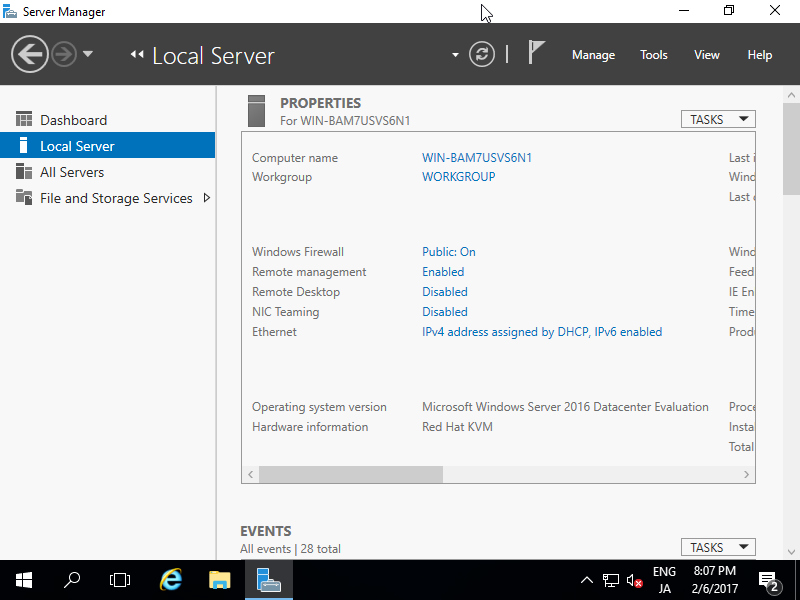
| [1] | Run [Server Manager] and select [Local Server] on the left pane and click [Ethernet] section on the right pane. |
|
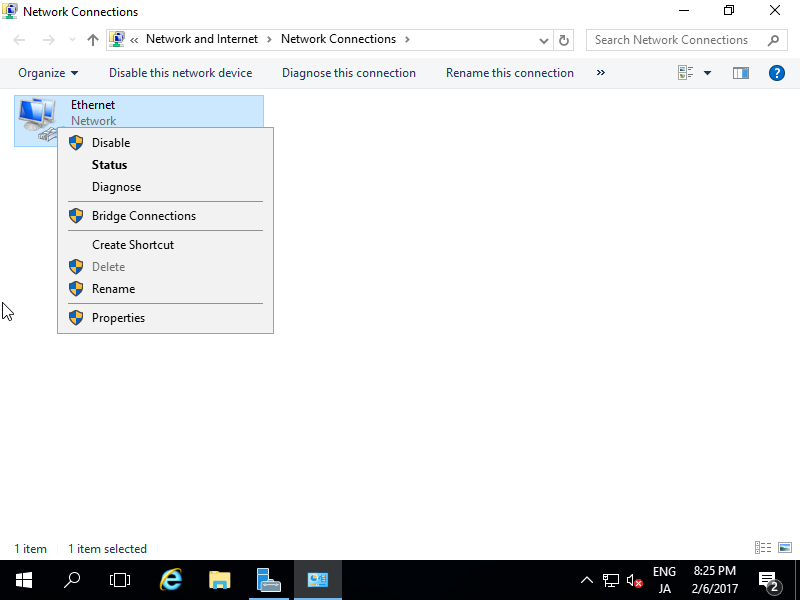
| [2] | Right-Click [Ethernet] icon and open [Properties]. |
|
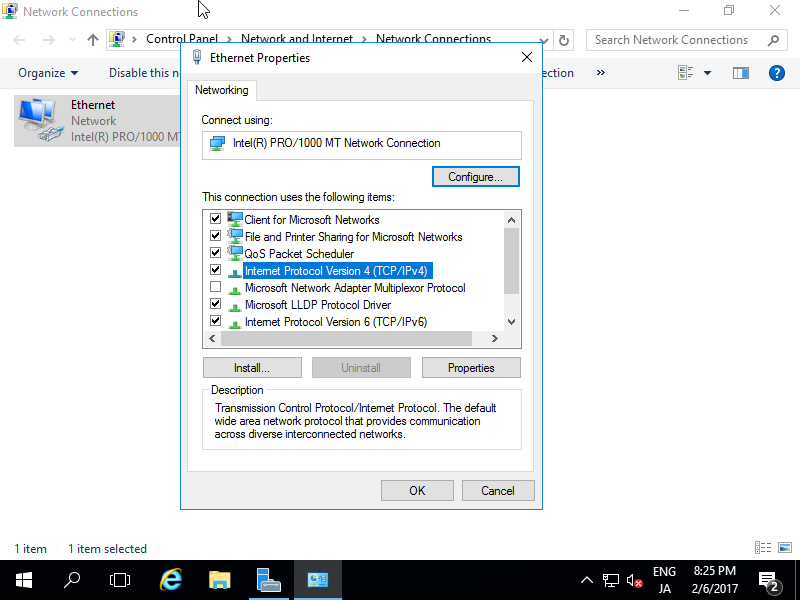
| [3] | Select [Internet Protocol Version 4] and click [Properties] button. |
|
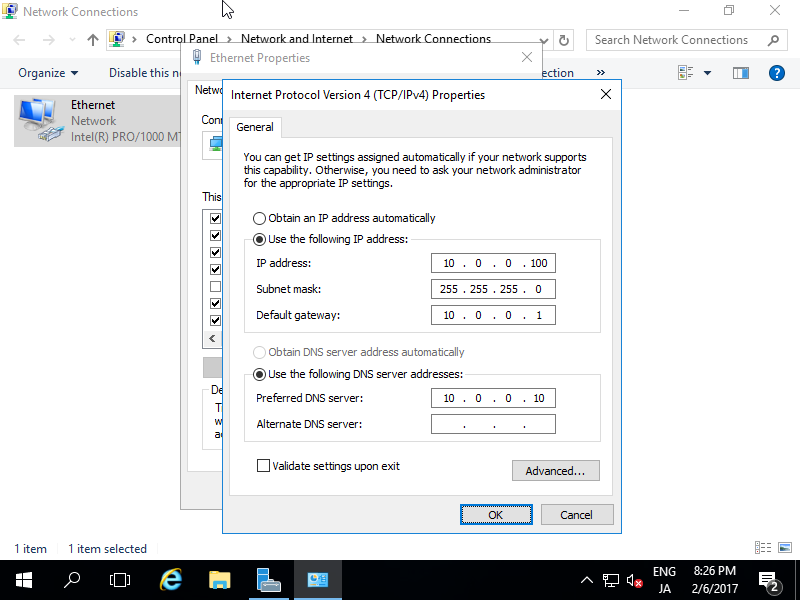
| [4] | Set Static IP address and Gateway and others for your local network. |
|
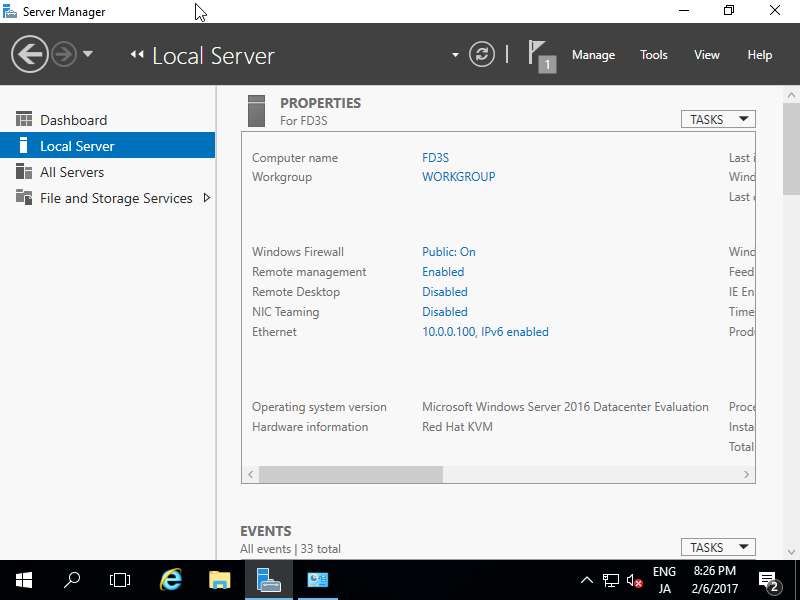
| [5] | After setting static IP address, changes are enabled on Server Manager. |
|